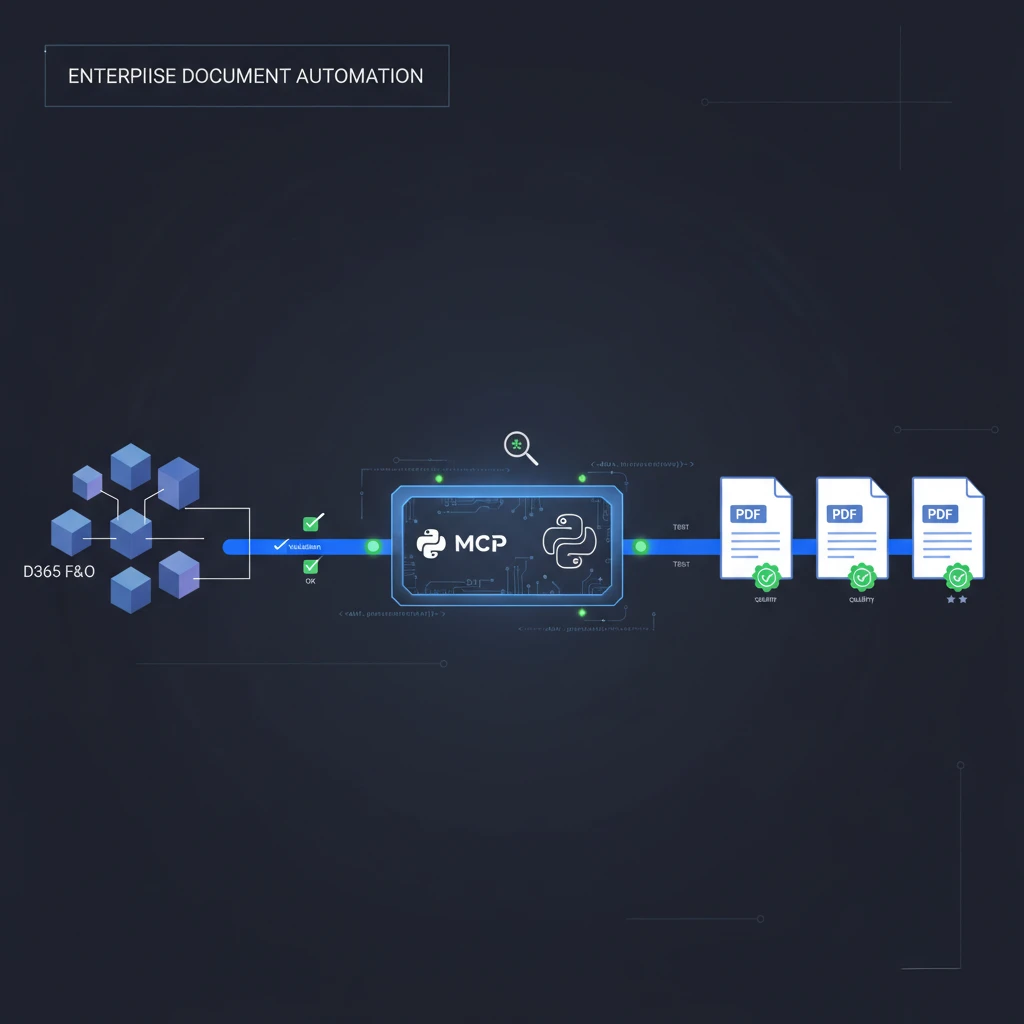
D365 F&O MCP server v0.3.4 — SRS report generation, testing, and FastMCP improvements
An easier, more reliable way to generate D365 F&O documents and test them: d365fo-client v0.3.4 brings SRS (SQL Server Reporting Services) PDF generation, tighter integration tests, and a set of developer-facing improvements to speed enterprise automation.
Contents
- What's new (quick)
- SRS report download tools
- Technical highlights and testing
- Architecture and deployment notes
- How to get started (CLI, MCP server, Python API)
- Technical deep dive
- Get in Touch
What's new (quick)
d365fo-client v0.3.4 focuses on three themes: document generation, testing, and developer ergonomics.
- SRS Report Download: seven new MCP tools that support a variety of document generation scenarios (customer invoice PDFs, free text invoices, credit/debit notes, sales confirmations, purchase orders, generic SRS reports, and auto-generated file paths).
- Enhanced testing: integration tests with PDF validation, improved fixtures, and better sandbox testing.
- Documentation and developer experience: updated AI agent guidelines, FastMCP architecture docs, and concrete examples for SRS usage.
SRS report download revolution
The release adds 7 MCP tools aimed at bringing SRS-based document generation directly into your workflows. Typical use cases include automatically creating PDFs for invoices and purchase orders, archiving reports to structured paths, and integrating generated documents into downstream automation (email, archive, or storage).
New MCP tools included in v0.3.4 (high level):
- Customer Invoice PDFs — formatted, ready-to-send invoice PDFs
- Free Text Invoices — free-text invoice document generation
- Credit/Debit Notes — automated credit and debit note PDFs
- Sales Confirmations — professional sales confirmation documents
- Purchase Orders — PO PDF generation
- Generic SRS Reports — flexible tool for any SRS report with parameters
- Auto-Generated File Paths — standardised pathing and naming for generated files
Each tool exposes parameters for report id/name, runtime parameters, output file path templates, and optional metadata for downstream processing.
Technical excellence & testing
- Integration tests with PDF validation: v0.3.4 adds integration test scenarios that validate the generated PDF contents/structure. This helps catch regressions in report rendering and parameter mapping early.
- Fixture and sandbox improvements: test fixtures and sandbox environment management were hardened to make integration runs more reliable in CI and developer machines.
- Error handling: improved retry logic and clearer error messages for SRS failures and file persistence issues.
Architecture highlights
d365fo-client continues to use the FastMCP mixin-based architecture. Notable architecture highlights in this release:
- 49 MCP Tools across 9 categories: tools are organised by capability to make discovery and automation straightforward.
- FastMCP mixins: modular tool composition for maintainability and reuse.
- Multi-environment support: YAML profile-based configuration for dev/test/prod flows.
- Metadata caching: intelligent caching with background synchronization for up-to-date schema and entity metadata.
- Azure AD and authentication: multiple authentication modes supported (client credentials, managed identity, default credentials), plus guidance for key vault integration.
How to get started
- CLI — quick install and explore
pip install d365fo-client
d365fo-client --help- MCP Server — run the MCP server entrypoint for AI agent / MCP integration
d365fo-mcp-server --help- Python API — embedding the client in your automation
from d365fo_client import D365FOClient, FOClientConfig

# Example: create a configured client and request a SRS report PDF
cfg = FOClientConfig(profile_name="dev")
client = D365FOClient(cfg)

# generic SRS report request (pseudo-code)
async def get_invoice_pdf(report_id: str, params: dict, out_path: str):
    report = await client.srs.generate_report(report_id, parameters=params)
    await report.save_pdf(out_path)
Deployment & integration notes
- Dependency updates: the release pins newer MCP framework and upgrades core async libraries for stability and performance. Confirm compatibility in your environment before upgrading production systems.
- Container readiness: images and deployment manifests are prepared for Azure Container Apps and similar container platforms.
- Profiles and secrets: use profile-based YAML config and integrate secrets via environment variables or Azure Key Vault for production deployments.
By the numbers
- 49 MCP tools (9 categories)
- 7 new SRS document tools
- Multi-tier tests (mock, sandbox, live)
- Cross-platform support (Linux, macOS, Windows)
Technical deep dive (selected topics)
FastMCP mixin architecture
- Tools are implemented as small mixins composed into client classes. This keeps each tool focused and encourages reuse.
SRS implementation details
- Report parameter mapping: parameters are validated against report metadata where available. When metadata is missing, tools fall back to permissive parameter passing with runtime validation.
- File handling: generated files can be saved to structured paths using templates (env/year/month/entity/identifier), and the auto-generated path tool ensures consistent organization.
Testing and QA
- PDF validation checks page count and simple heuristics on textual presence in generated reports. For strict validation, compare binary outputs or use golden files in CI.
Setup and Getting Started
For a complete setup guide with step-by-step instructions, VS Code configuration, and authentication setup, see our comprehensive guide:
D365FO MCP Server in Action: From Setup to Customer Intelligence in Minutes
This guide covers everything from Azure app registration to VS Code configuration and your first queries.
Quick installation options:
CLI Installation:
pip install d365fo-client
d365fo-client --help
MCP Server:
d365fo-mcp-server --helpPython API:
from d365fo_client import D365FOClient, FOClientConfig
# Configure and start building your automation
Related Posts
- Building the Future of D365 F&O Integration: AI-Powered Development with Model Context Protocol — The original introduction to d365fo-client and MCP integration
- D365FO MCP Server v0.3.0: Multi-Transport Support and OAuth 2.1 — Previous major release with OAuth authentication and multi-transport support
- D365FO MCP Server in Action: From Setup to Customer Intelligence in Minutes — Complete setup guide and demo
Get In Touch
Need help implementing SRS-based automation or MCP integrations for D365 F&O? Want to discuss custom integration solutions or enterprise AI consulting?
Connect with me:
- 📧 Email: [email protected]
- 🐦 Twitter/X: @TheDataGuyPro
- 💼 LinkedIn: Muhammad Afzaal
- 💻 GitHub: @mafzaal
- 🎥 YouTube: @TheDataGuyPro
- 🎧 Podcast: TheDataGuy Show
Whether you're evaluating AI assistants for D365 F&O, automating document pipelines, or building robust CI for enterprise reporting, I'd love to help. Drop a comment or open an issue on the d365fo-client repo.